Best Thermal Camera for Motherboard Troubleshooting 2026
I have changed to this since 2023 – InfiRay T2S+
NOTE: Infiray has changed the name to Thermal Master
Infiray T2S+
I highly recommend the Infiray Thermal Camera T2S+. It’s the best camera in terms of functionality, with an excellent refresh rate, resolution, zoom, and focus—surpassing even the more expensive desktop thermal cameras.
It doesn’t even require a macro lens for our kind of work. The adjustable lens is outstanding for our repair field, as well as for outdoor usage.
Thermal Camera is a MUST have tool for Semester 2 course
Seek Compact Pro
I have been using the Seek Compact Pro thermal camera for many years, and it has consistently met all of my requirements and performed exceptionally well for my job. But it can only be used if you have a third-party macro lens.
NOTE: Some people are still confused about the difference between Seek Compact Pro and Seek Compact XR. It’s important to note that these are two different models. XR is the one with lower resolution and quality.
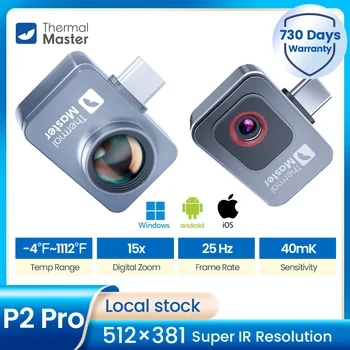
But until end of 2022, i highly recommend InfiRay P2 Pro thermal camera as the best value for your money. It has beaten my Seek Compact Pro in term of performance and value.
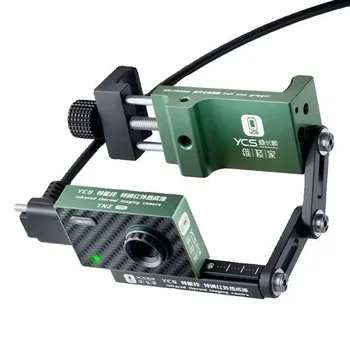
The biggest weakness of this thermal camera is its lack of flexibility. Not only does it require the USB cable to remain connected to a PC at all times, but it also limits how freely you can move or change your viewing angle. In some cases, the heat source is hidden beneath a motherboard shield, so you need to inspect it from the side, which can be awkward with a wired setup.
Another drawback is the software. It can be laggy and buggy, and after using it for a while, the camera may no longer be detected by the PC. When this happens, I usually have to unplug and reconnect the USB cable before I can continue using it.